Open beta
The whole market. One screen.
MagnetChart is a crypto multichart service for comparing exchanges and analyzing charts with indicators, drawing tools and liquidation heatmaps.
Every feature is free, no card, no plan limits. No account needed to start.

- 24h
- —
- Vol 24h
- —
- Korea premium
- —
This is not a screenshot. It's the real chart — switch exchange, coin or timeframe.
- Multi
- domestic & global
- 39
- built-in indicators
- 51
- drawing tools
- $0
- everything, during beta
Never miss a move
Flows you can't see on one exchange, merged across exchanges.
Multi-Chart Desk
Up to 16 charts — any exchange, coin and timeframe
One coin across timeframes, or many coins on one. 32 built-in indicators, no per-chart limit.
Open the multichart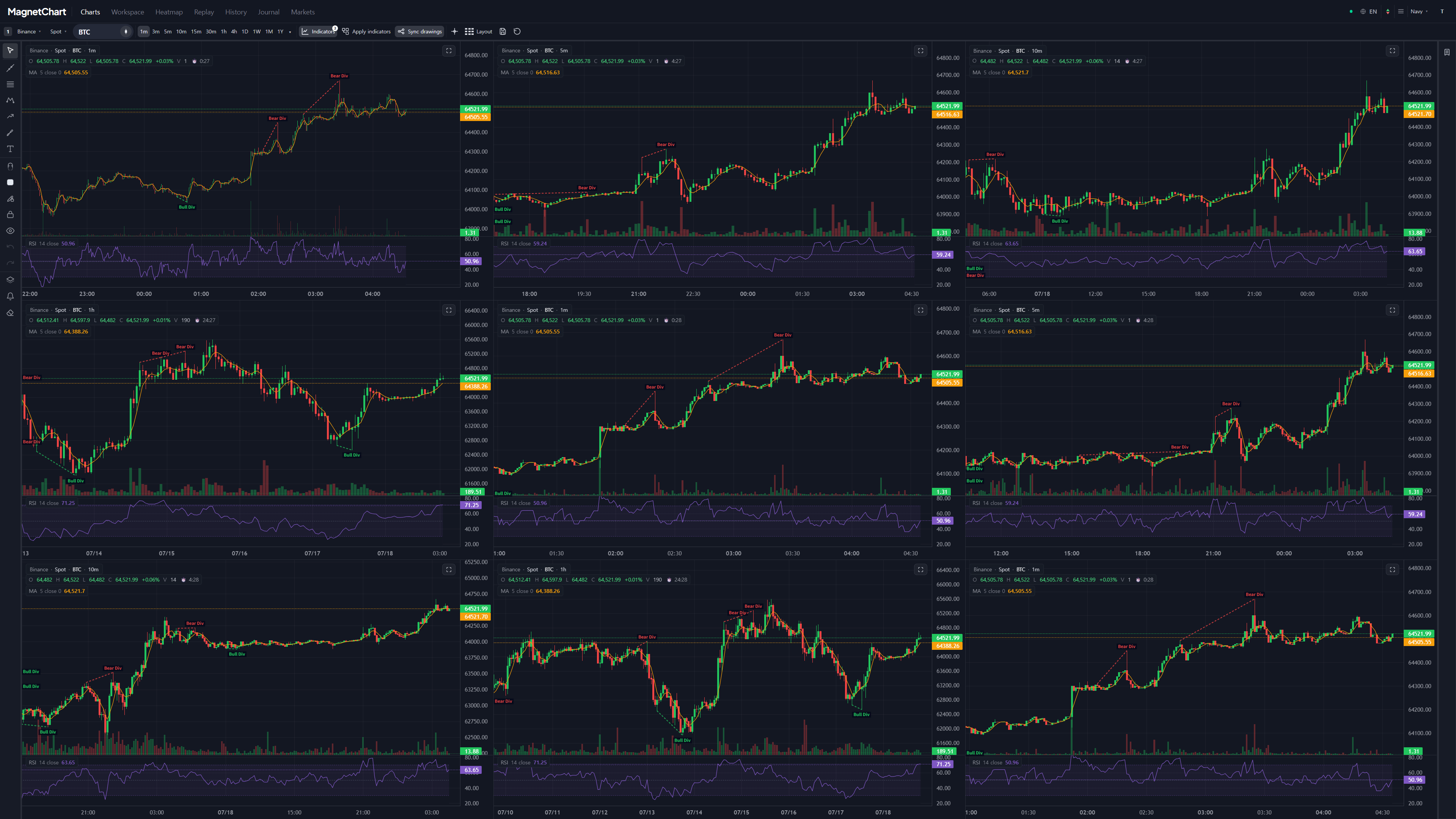
Liquidation Heatmap
Liquidity pulls price like a magnet
Estimated liquidation levels from the major futures venues, stacked into a per-bar heatmap. See where price is being pulled.
Learn more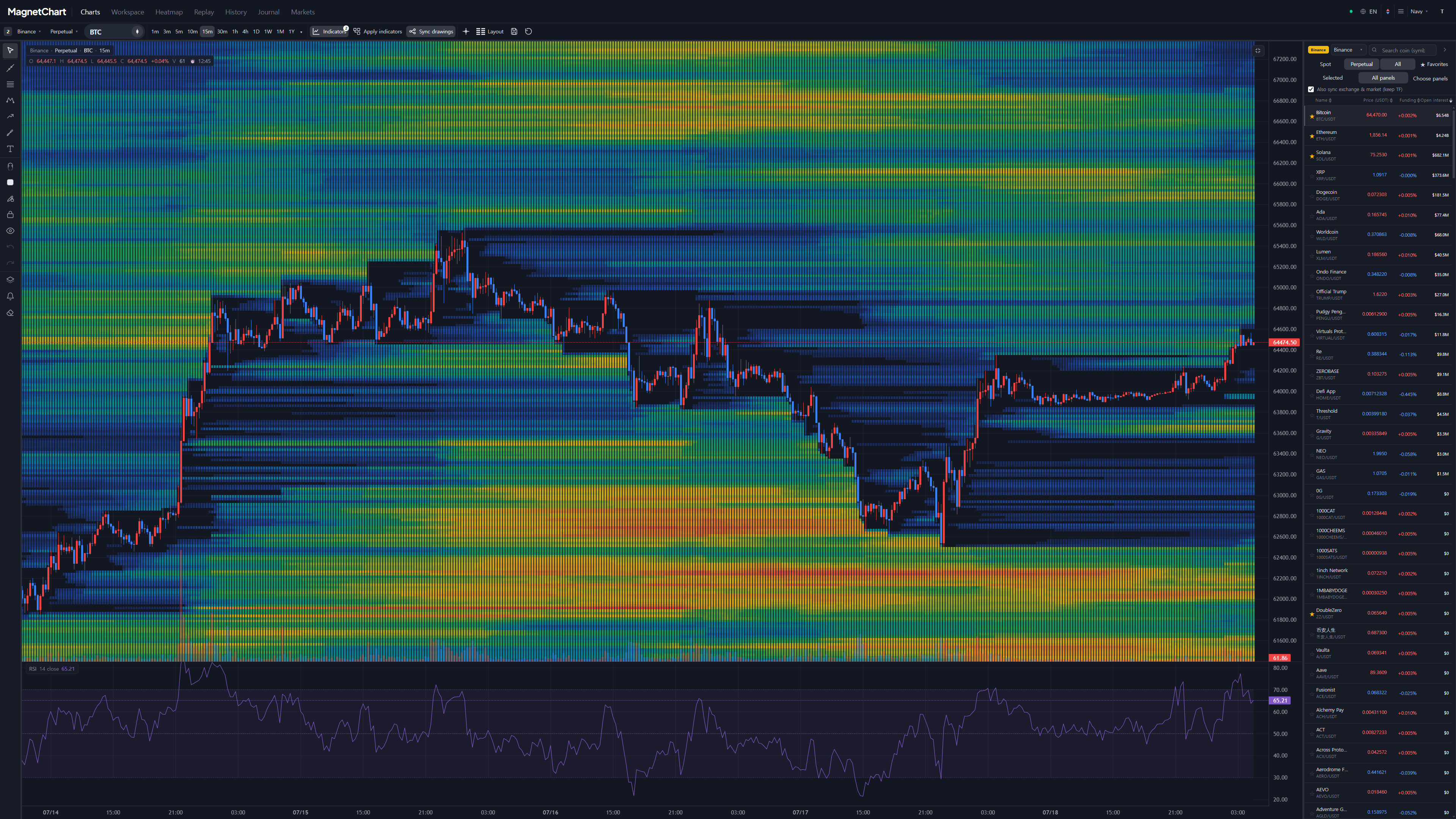
Korea premium
Korea premium, live
Track the gap between Upbit / Bithumb and global spot prices for every coin in real time.
Live market tableCoinKRW pricePremiumBTC——ETH——XRP——SOL——


Analyze and practice, your way.
Layout
Arrange up to 16 charts and drag dividers to fit your workspace. Save proportions for each layout and keep your presets.
built-in indicators
Find indicators with search and favorites. Edit periods and colors for multiple SMAs and EMAs, with WMA, HMA, Stochastic RSI and CMF also available.
drawing tools
From Fibonacci color bands to highlighters, curves, polygons and price notes. Favorite your tools and adjust the settings that fit each drawing.
Simulator
Start with a past date and virtual capital, then trade multiple instruments in one account. Drag take-profit and stop-loss lines and resume saved simulations.
Get started with multicharts
Choose an exchange, symbol and timeframe
Open the chart and choose an exchange and symbol in each panel. Use the same timeframe to compare BTC across exchanges.
Layout
Choose a layout for up to 16 charts in the top toolbar. Drag panel dividers to adjust their proportions.
built-in indicators · drawing tools
Add moving averages and analysis tools from Indicators, then mark price levels with drawings. Save frequently used tools as favorites.
No sign-up, no card. Open a chart now.
Open the terminal — everything is free during the beta. No card, no sign-up required.